Give your goal a structure
Organize a path into stages, action days, tasks and subtasks. Follow a schedule or advance as you complete the work.
 小径
小径
小径 · Goals into action
Turn a goal into a step you can take today. Plan your path, keep moving at your pace, and see how far you have come.
Preparing for launch · Planned one-time paid download
A plan that becomes a practice
A place for your long-term goals and the little things along the way.
Organize a path into stages, action days, tasks and subtasks. Follow a schedule or advance as you complete the work.
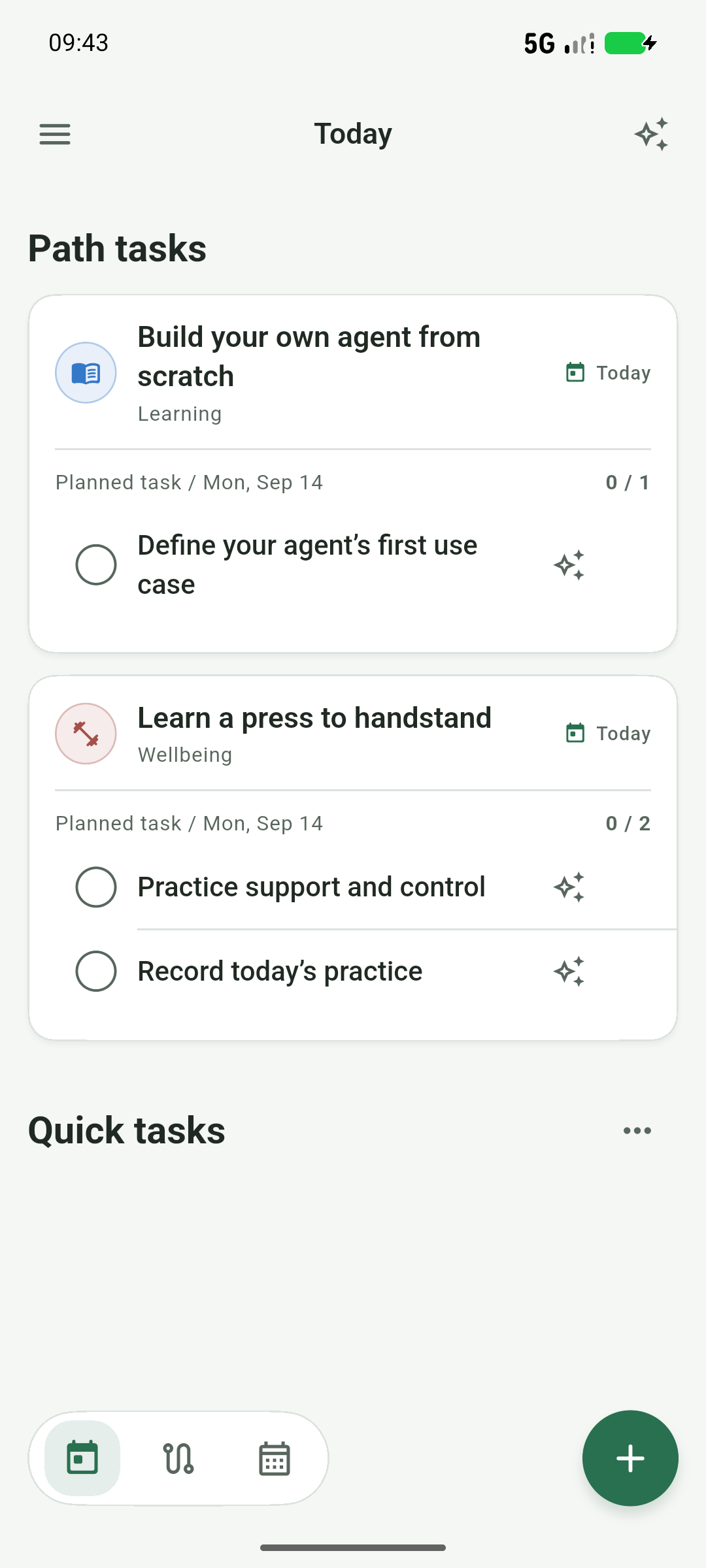
See tasks grouped by action day. Capture quick to-dos, make up missed work or pull tasks forward when you are ready.
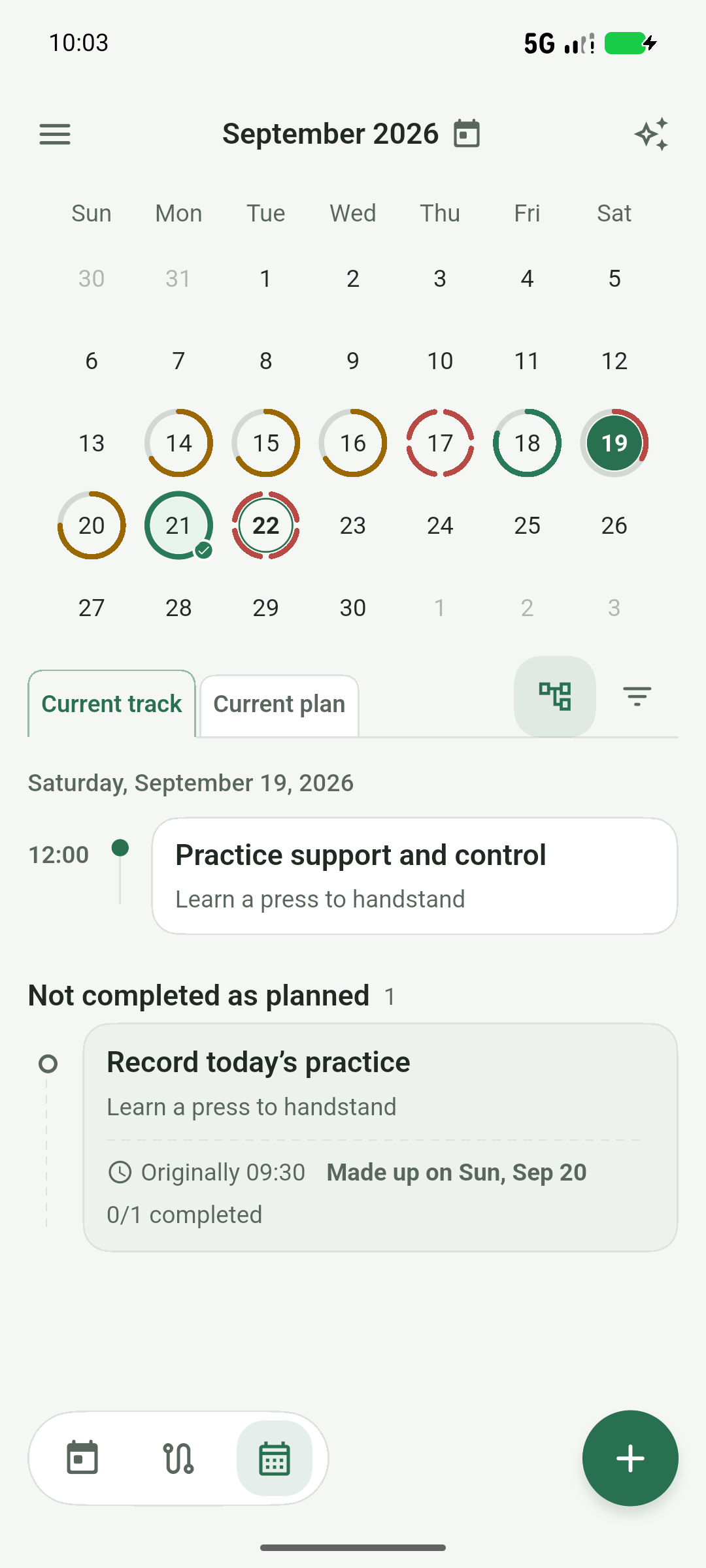
Move between week and month views. See your current plan and completed activity together in the calendar.
Connect a compatible AI service to help plan, analyze, adjust and break down tasks. Review proposals before applying them.
Capture reflections, revisit growth records and look back at your roads. Earn XP through actions and unlock themes as you level up.
Core features do not require a 小径 cloud account. Using AI sends authorized content to the service you choose.
Inside the app
From a press to handstand to building your own agent: see how goals become daily actions. Select an image to view it full size.
Focus on the next thing you can do.
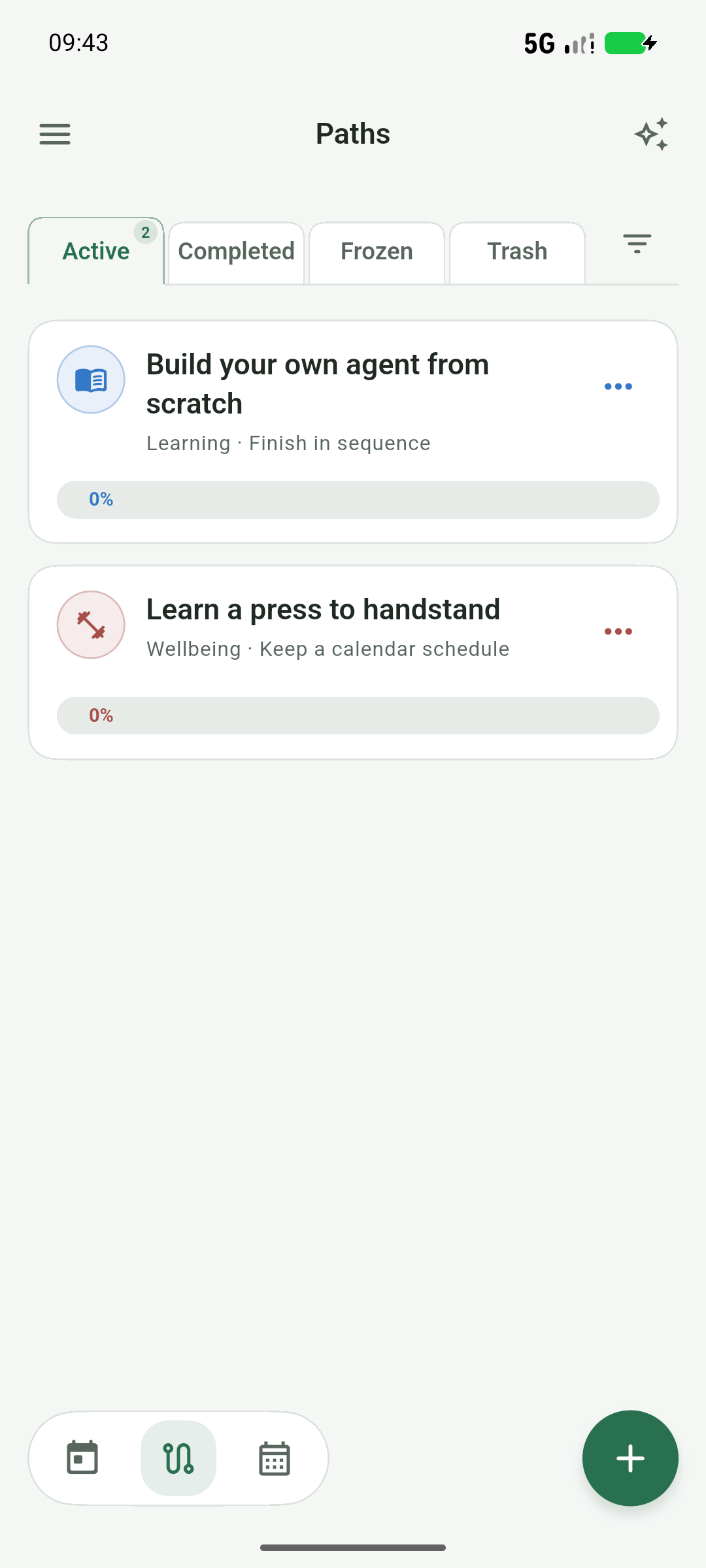
Keep the direction and the progress in view.
Give each day a clear place in your plan.
Captured on an Android emulator · Demo data · Screenshot set v4

No need to do it all at once
A brand illustration, not an App screen. View artwork
Getting started
Create a path and describe what you want to achieve. Plan manually or choose AI assistance.
Add stages and tasks, then choose a rhythm. For progress-based paths, organize tasks within action days.
Work through Today and review the calendar. Edit your path or ask AI for suggestions when plans change.
Your journey
Completed work, missed days, new attempts and reflections form a road you can revisit. This is an actual App screen from the handstand demonstration path.
An ongoing road preview · Emulator capture · Demo records
Learn how to build your journey →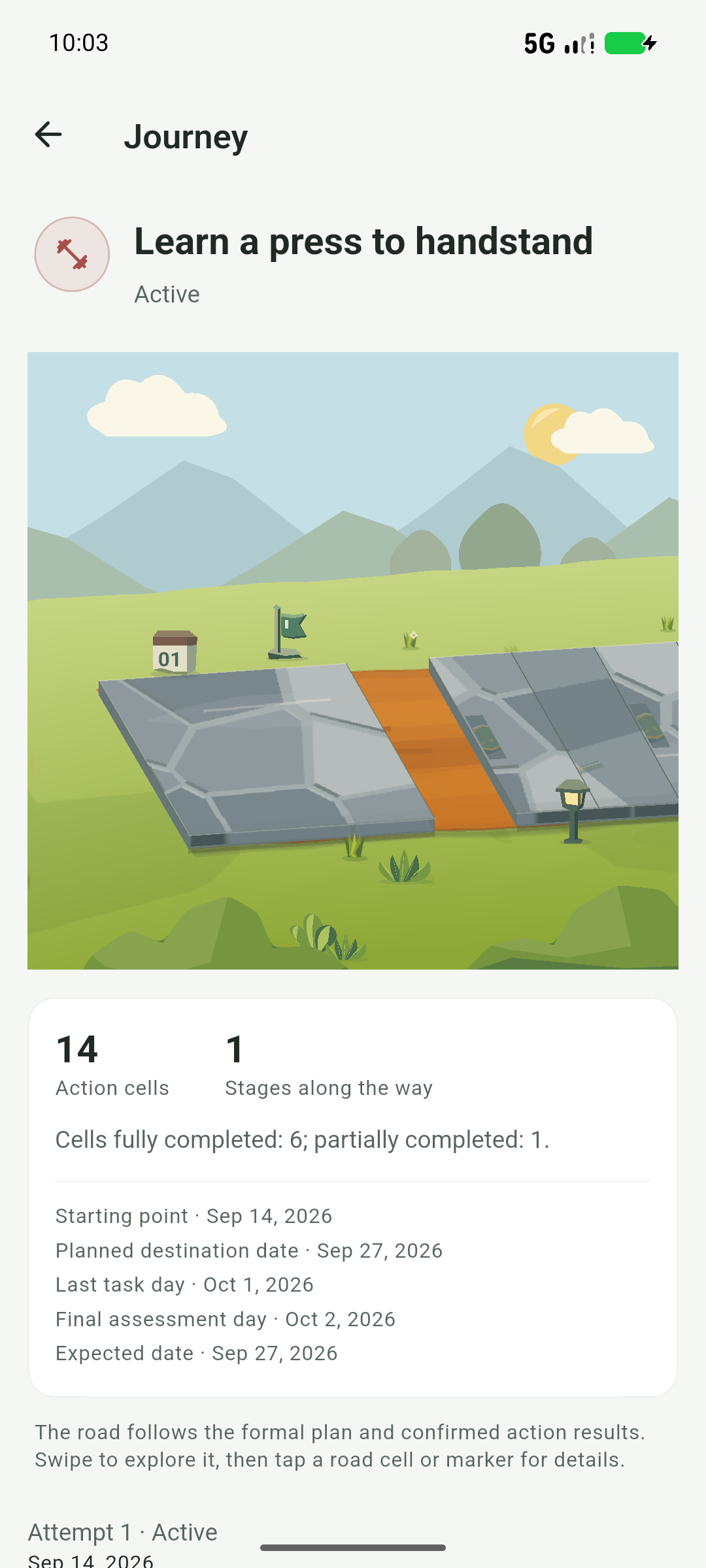
No. Paths, tasks and the calendar work on their own. AI is optional.
No. The first release is planned as a paid download with compatible API connections included. Bring your own API key; provider usage fees are separate. Pricing will be shown by the store at launch.
The app is being prepared for release. There are no public store download links yet. You can follow progress in the QQ community.
Cloud sync, WebDAV and full portable backups are not currently available. Path exports can share plans, but do not back up all local records.
Help shape 小径
Share ideas, tips and feedback in the 小径 QQ community.